Quick TinyURLs with TextExpander and AppleScript

Philip Blog, TextExpander, TextExpander Tips

improved AppleScript by JD Strong continues to work. Even David Smalley posted that he is using JD Strong’s AppleScript now. Also, if you want to see the step-by-step instructions for adding this AppleScript to TextExpander, Jeff Gamet just posted a great tip at The Mac Observer. ] I just came across this neat tip on developer David Smalley’s blog. It uses AppleScript to generate a tinyURL with a TextExpander abbreviation. (If you’re not familiar with Tiny URL, it’s an online service that converts long URLs into short ones more appropriate to share in email and microblogs.) I am no AppleScript maven, but it sounded pretty cool. I’ve been using Tiny URL a lot lately since I started using Twitter. So I consulted Greg, whose works on TextExpander development, to see what he thought. His response:

This does work, and it’s quite convenient. Here’s an easy way for you to import this:
And he sent me the AppleScript wrapped in a TextExpander Group. You can download it here: http://www.smileonmymac.com/textexpander/tinyurl.textexpander.zip Download and unzip it, and then add the group in the TextExpander preferences pane. Then you’re set to follow Greg’s instructions:
You select a URL, copy it to the Clipboard, then type “tinyurl” (and your delimiter if you’re not doing instant expansion) then wait a few seconds and “tinyurl” will be replaced by a tiny URL.
If you’re a real geek, you can grab the AppleScript from the original blog post and create your own AppleScript snippet in TextExpander.


SmileOnMyMac in Miami

Philip Blog, Live, MUGS, PDFpen

Gold Coast Mac Users Group, showing off PDFpen and DiscLabel primarily. Several members of the audience chimed in to share their happy SmileOnMyMac customer stories. What a fine and intelligent group! grin IMG_5514.jpg I also gave a demo at the Apple Store at The Falls in South Miami. The demo coincided with the enormous power black-out that we had in Florida last week. The demo was postponed for the 45 minutes the power was out. IMG_5507_2.jpg Apple Store customers are sure dedicated. Lots of people waited outside the store waiting for it to reopen. It was crowded almost before the computers had booted back up!

TextExpander: Abbreviation Strategies

Philip Blog, TextExpander, TextExpander Tips

I have all my abbreviations ending with “z” so that there is little chance of them getting confused with a word I don’t want substituted. It makes them easier to remember, and not many words (quiz is the only one that springs to mind) end in z. This is the first tip where someone has suggested using the last character in an abbreviation to differentiate it from actual words. When we first started posting TextExpander tips, we got a fairly extensive one from TJ on organizing abbreviations by context. That tip inspired me to use the forward slash (/) as the first character in all my abbreviations for URLs, i.e. /somm = http://www.smileonmymac.com, /gm = http://maps.google.com. [1] I’ve started using “x” as a leading character for a lot of miscellaneous snippets, on the theory that not many words begin with “x”. I’d have to rewire my brain to think like Austin, using the last character as the differentiator. What about you? Share your TextExpander abbreviation strategies in the comments. [1] You might wonder how I can type my abbreviations without expanding them. The trick is to move the cursor using the arrow keys backward and forward once before you get to the end of the abbreviation. I learned this in a tip from Greg.


PDFpen: Video Tutorial Now Available

Philip Blog, News

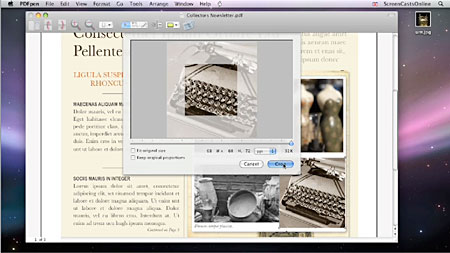
DiscLabel video tutorial was very positive, so we decided to do one for PDFpen. We called on screencast producer extraordinaire Don McAllister of ScreenCastsOnline to work his magic again, and you can view the resulting PDFpen tutorial videos on our site. One of the nice benefits of having a third party produce a tutorial is that we get a fresh look at our software and how it works. When Don released the DiscLabel videos, I got a whole new sense of how powerful its image editing and visual effects capabilities are. And I learned a couple of new tricks from the PDFpen series. For example, you can use the Special Characters palette (Edit > Special Characters) to insert checkmarks into checkboxes on forms that don’t have interactive checkboxes and fields. It looks much nicer than just inserting an “x”, which is what I used to do.
ScreenCastsOnline is a great resource for useful information about all sorts of Mac software. Don does regular shows on many interesting topics. I recommend it to anyone who likes learning new ways of better using your Mac. pdfsco.jpg


PDFpenPro wins Editor's Choice from The Mac Observer!

Philip Blog, News

TMO_EC_2008_100.png We had a great week at Macworld San Francisco 2008. One of the big highlights: PDFpenPro was selected for The Mac Observer’s Editor’s Choice Award, along with 11 other great Mac products. As the editors wrote in the award announcement, PDFpenPro “empowers users with the tools they need to edit their PDFs, create PDF forms, add signatures and graphics, and more — all without breaking the bank or throwing a steep learning curve at you.” It was busy all week at our booth; lots of folks stopped by to learn more about PDFpen and PDFpenPro (which has all the features of PDFpen plus the ability to create cross-platform fillable forms). We also spoke with many current users of PDFpen and our other software. It’s always great to meet happy customers!