
List of English Words with Diacritics. I picked the words that seemed most useful to me and created a snippet group. List of the Accented Words Snippet Group (PDF) If you download TextExpander 2.3, you can easily add this Accented Words group by clicking on the plus sign (+) under your snippet list in the TextExpander Preference Pane, and choosing “Add Predefined Snippet Group.” The great thing about snippet groups that are hosted online is that you can make additions. If you have any suggestions for accented words to be added, email them to me. If you have ideas for other useful snippet groups, or have created one yourself that you want to share, just let me know. Olé!
WWDC 2008
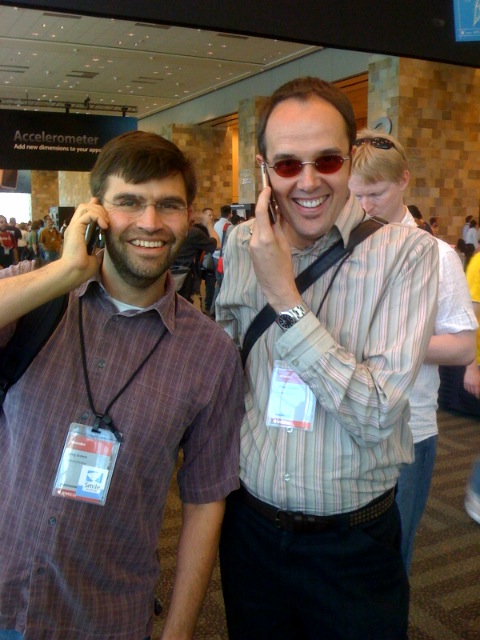
The week started off with a bang at the sfMacIndie fête at Jillians, which we co-sponsored this year rather than throw our own party.
This year’s conference was excellent — the presentations were of high quality, and the iPhone sessions were great. I hope next year is just as good. I got to meet Peter Maurer of Many Tricks software in person. We acquired Textpander from him in 2006. We decided that he’s the grandfather of TextExpander, that SmileOnMyMac are the parents, and that TextExpander is the unruly child. I think that fits.
Here are some of our other developer friends we encountered this year. Definitely check out their software:Red Sweater Software / MarsEdit
Boinx
Agile Web Solutions / 1Password
MacSpeech / Dictate
TextExpander: CSS Snippet Group
TextExpander 2.2. We added a new snippet group of CSS definitions (created by me!) that you can use. To do so, click on the plus sign (+) below the snippet list and choose “Add Predefined Group”. “CSS Snippets” has been added to the list. It’s always an fun intellectual exercise for me to develop a new snippet group for public use. Trying to anticipate how people will use the snippets is a challenge. I think it’s important for the abbreviations in a group to have a common leading character so that they are easier to remember. The HTML snippets all use the comma. The logic there is that Shift + comma produces a left angle bracket, the leading character in HTML tags. For CSS, I used the semi-colon. It’s easy to reach on the keyboard, and a semi-colon is used a separator for CSS property definitions. And, as is important with all TextExpander abbreviations, no actual words begin with a semi-colon. Here’s a PDF with the CSS abbreviations and snippets. (You did know that you can print your snippets and abbreviations as a handy list, right? Command + P to print a group, Option + Command + P to print all groups.) A few notes on these snippets:
- All the abbreviations begin with a semi-colon
- There are abbreviations for basic HTML selectors, like ;body, ;h1, ;ul, ;em, which expand into CSS for the corresponding tag, and reposition your cursor in the middle
- There are the commonly-used properties, like ;color, ;lheight, ;fsize, and ;border
- There are also some “packaged” snippets, like ;sans, ;serif, ;fs10, (font-size: 10px;), ;lh16 (line-height: 16px;)
TextExpander: Catching Up with Really Fast Typists
TextExpander 2.1 this week. It now supports one-character abbreviations. If you use a delimiter to trigger your expansions, you can turn any letter or character into an abbreviation for a snippet.
We also improved the performance and reliability for really fast typists. I say “really” fast, because I am a fast typist, and I never had a problem with TextExpander not keeping up with me. I just tested myself at 10 Fast Fingers, which I found via a b0rg_tech’s blog post, “Saving Seconds.”
Want to challenge me?  70 words
Guest Appearance on Your Mac Life
Your Mac Life, the Mac talk show of which SmileOnMyMac is a proud sponsor.
I had the fun of being a live in-studio guest on the show, talking about SmileOnMyMac, how we got started and my favorite products. I also got to experience the thrill of riding around the backroads of Connecticut on the back of Shawn’s motorcycle. We took a long tour from Danbury down to Westport. It was a beautiful day, not too cold. I borrowed riding gear from Lesa, in which I felt ready for a cameo on Battlestar Galactica.
 The show is available as a streaming audio file at the Your Mac Life site until April 22nd. You can also subscribe to Your Mac Life at Audible.com, which makes it possible for you to download episodes to load onto your iPod.
