Fixed A Troublesome TextExpander Bug

Philip Blog, TextExpander, TextExpander Tips

our post about disappearing snippets, we have identified at least one issue and have fixed it in TextExpander 3.1.1. We’ve seeded this fix to several customers and have received positive feedback that it fixed the problem for them. Please download and install the TextExpander 3.1.1 update. If you do experience a snippet loss, please let us know. If there are any other issues, we want to find them. Per our earlier post, please do the following if you experience the problem:

If you experience this problem, you can restore your snippet library by quitting TextExpander and restoring this file from your Time Machine or other backup: [Home]/Library/Application Support/TextExpander/Settings.textexpander Before you re-launch TextExpander, please also send a copy of the restored file to us at textexpander@smileonmymac.com. This is especially helpful if you find the problem recurs for you. If we gather enough settings files, hopefully we’ll find one with which we can reproduce the problem. If we can reproduce it we can almost certainly fix it. In the meantime, we’re very sorry for the inconvenience.
We appreciate your help in making TextExpander the best it can be.

More TextExpander Date and Time Formatting Options

Philip Blog, TextExpander, TextExpander Tips

Unicode Date Format Patterns. This means TextExpander now has support for time zone, era, day of year, and calendar quarter. For example: This is day number %date:D% of the current year. We’re now in the %date:qqqq% (%date:qqq%). I’m expanding in %date:zzzz%. Today is %date:yyyy.MM.dd G%. Expands at the time of writing this post to: This is day number 216 of the current year. We’re now in the 3rd quarter (Q3). I’m expanding in Pacific Daylight Time. Today is 2010.08.04 AD. There’s tons of detail in the Unicode Date Format Patterns documentation. Feel free to write us if you have questions.


Troublesome TextExpander Bugs: How You Can Help

Philip Blog, News

Disappearing Snippets We’ve received a number of reports of disappearing snippet libraries from TextExpander users. Data loss is one of the worst kinds of bugs. While we can help users restore their settings file from a backup, that’s the best we can do. We want to do better and fix this. Unfortunately, we can’t reproduce it. If you experience this problem, you can restore your snippet library by quitting TextExpander and restoring this file from your Time Machine or other backup: [Home]/Library/Application Support/TextExpander/Settings.textexpander Before you re-launch TextExpander, please also send a copy of the restored file to us at textexpander@smileonmymac.com. This is especially helpful if you find the problem recurs for you. If we gather enough settings files, hopefully we’ll find one with which we can reproduce the problem. If we can reproduce it we can almost certainly fix it. In the meantime, we’re very sorry for the inconvenience.

Firefox Bug Can Disable TextExpander

TextExpander users who use Firefox sometimes find that TextExpander stops expanding. Quitting and re-launching Firefox restores TextExpander functionality. Let me explain why this is happening and ask for your help. Firefox enables secure event input when it presents password fields. If you submit a form by pressing Return in a password field, Firefox doesn’t turn off secure event input. When secure event input is on, key loggers such as TextExpander do not receive notification of keyboard events. You can work around this problem after the fact by closing the window which held the field or by quitting and re-launching Firefox. You can avoid this problem by submitting form fields using the Submit button rather than pressing return in a field. There’s a bug open on the issue but its up to the Mozilla folks to adopt the fix and release an updated version of Firefox: https://bugzilla.mozilla.org/show_bug.cgi?id=556873 You can help by voting up this bug. Click on the “vote” link then register and vote for this bug. Perhaps if its priority increases, it will get noticed and addressed. Thanks! As always, if you have comments or questions about TextExpander, let us know.

MacMania 10: Geek Tourism 101

Philip Blog, Photos, Public Appearances, Smileworthy

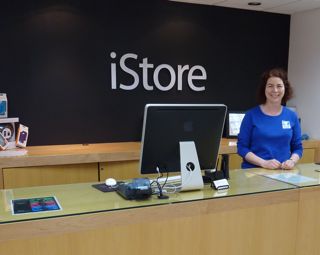
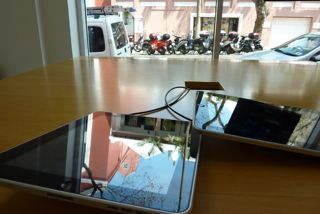
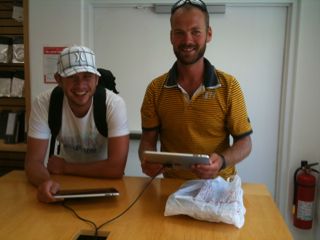
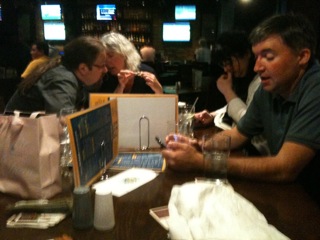
A home away from home for Mac geeks. istore.jpg Don’t worry, Philip and Greg. I am not moving to Bermuda and getting a job at the iStore. :-) P1010581.jpg The iPad is not officially for sale in Bermuda yet, so these demo models have been played with a lot. danishguys.jpg Here are a couple Danish guys I met while hanging out doing some email. After talking to me for 10 minutes, they are ready to place their orders. If only Apple paid commission! flanagans.jpg The iStore folks threw a nice party for us at Flanagan’s the night before we are to leave Bermuda. Typical Mac geeks, everyone brought their iPhones AND iPads. Here’s Jason Snell of Macworld and Trish Mulvihill of DC Comics (right) sharing their favorite games. You too can travel to exotic ports of call to hang out in the local Apple Store with your fellow Mac geeks. In fact, many of the group have done some exciting non-Mac-related activities like swimming with porpoises (Rich & Kerri) or going scuba diving for the first time (Andy). No matter how geeky or adventurous you are, check out Capt. Neil Bauman’s offerings on Insight Cruises. Next trip is to Patagonia in February 2011 (too close to Macworld for me…).


MacMania 10: We're On A Boat

Philip Blog, Photos, Public Appearances

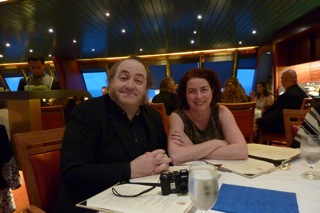
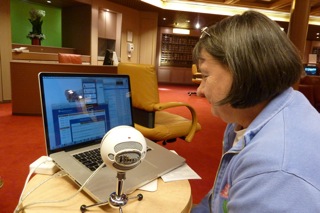
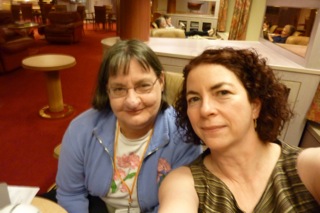
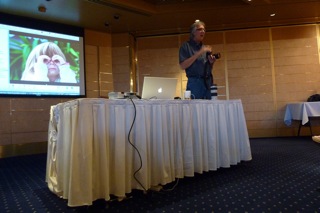
I'm lucky again have the chance to join the MacMania cruise. With over 100 Mac geeks taking part in a full schedule of conference sessions, it's an incredible opportunity to learn more about using our favorite computer, share tips, make new friends and catch up with old ones. It's also nice to hang out with folks who are using SmileOnMyMac software and show off some of the new features in TextExpander. We left New York harbor Sunday evening en route to Bermuda. We have two nights and one day at sea, before getting to our destination. Being geeks, we are not hanging out at the pool or the casino; no, we're happy that we have a full day of conference sessions. The faculty includes Jason Snell of Macworld, David Pogue of The New York Times, Andy Ihnatko of the Chicago Sun-Times, Derrick Story of The Digital Story, Rich Siegel of BareBones Software,  and Sal Soghoian of Apple. I am focusing on improving my photography skills and learn more about my new camera. I just picked up a new Panasonic Lumix DMC-ZS3 compact, thanks to the helpful recommendation of John F. Braun of the Mac Geek Gab. I wanted something small but powerful, and this fits the bill. Derrick Story, photographer and teacher extraordinaire, gave an all-morning seminar on High Impact Photography, showing us how some simple strategies can result in extraordinary photos. Jason Snell helped decrypt the mysteries of video on Apple devices.  And David Pogue did a session on digital cameras–how to choose one and how to use it. Extra fun: I was seated next to one of my favorite writers, Andy Ihnatko, at dinner. If you are familiar with his writing or his appearances on MacBreak Weekly, you'll have an idea of how entertaining the evening was. (If you're interested in the writing process, I highly recommend listening to Dan Benjamin's interview with Andy on The Pipeline Podcast.) After dinner, I sat in with Pat Fauquet of Dr. Mac Consulting while she participated in a session of the MacJury with Chuck Joiner. It was quite fun to do a podcast from a boat. The topic was the iPad 3G. We were able to be online in a five-person Skype chat for over an hour. The wonder of modern satellite internet! PS. Congratulations to Daniel Jalkut of Red Sweater Software on the release of Mars Edit 3, the very software used to create this post. I've got the beta version, and will download the final version as soon as I have regular internet access again! Photos: leaving New York; Derrick Story's photography seminar; Andy Ihnatko and me; Pat Fauquet on The Mac Jury; Pat and me.

P1010201.jpg
P1010231.jpg
P1010265.jpg
P1010283.jpg
P1010286_2.jpg