
Timothy in Ohio sent us this detailed tip showing how he organizes his abbreviations into contexts:
I find that using different beginning delimiters for different contexts helps me to remember which ones they are.Then I also have some of what I like to call “recursive” shortcuts which involve two shortcuts:
- For HTML shortcuts, I start with “<". For example: <3 =
%|
stuff (see below) - For IRC (administrative commands), I start with “i” such as ikick or iban to fill in a kick or ban syntax, or /login to fill in the login stuff
- For chat shortcuts I start with “!”, eg. !yw (you're welcome) or !ty (Thank you!) or !bbin (I'll be be back in %| minutes)
- Email I start with “/” or “@” (I don't know why): /sig for my signature, /wsig for my work signature /add is my mailing address /phone fills in all my phone numbers: work home cell in that order because if I put my number in something I may want to give all my numbers, but I might not. If I want to just do 2, I use /phone and then just do shift + up-arrow to highlight and delete the cell, etc /yiwbt = Yes I will be there (I get a lot of “Can you come to the meeting?” or “Will you be at the meeting?”, etc).
And then of course there are the dang typos that I make and now get autocorrected not just in word processing apps, but all apps: nad = and teh = the god = God And there are times that I want to have the real fractions rather than just 1/2 or 3/4. I could make a shortcut of “1/2” but then I can't type a literal “1/2” so what to do? I use two // instead of 1, for example:
- I have shortcuts for each day of the week @mon @tue @wed etc which expand to “Monday at “
- I have another shortcut @remind: “Just a reminder we will be meeting ” and then I add @mon or @tue and then add the time too I prefer the phone to email, but sometimes you need to email someone and ask them to call you back when it's convenient for them, so I have some shortcuts for that too: @church = “Give me a call at the church when you get a chance – 740-446-1030” Similar for @cell and @home.
I think those are all my tips! Oh here is
- I use a shortcut of 1//2 for ½
%|
Thanks, Timothy, for the good ideas.
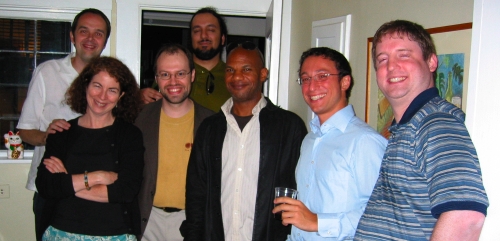
 Greg at Poas Volcano, Costa Rica
 Greg on Sun Island, Lake Titicaca, Bolivia
 Greg at Machu Picchu, Peru
 Greg at Iguazú Falls, Argentina
Feel free to comment on your favorite pic for Jean to use as my publicity photo. Thanks!
==> Greg
Greg at Iguazú Falls, Argentina
Feel free to comment on your favorite pic for Jean to use as my publicity photo. Thanks!
==> Greg
 We are not the beautiful people, and I guess that’s why we look so blurry in
 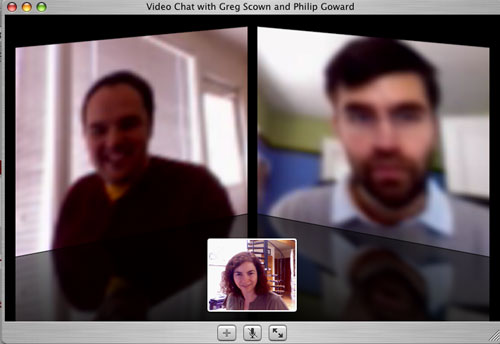 Yeah, yeah, those people in the ads are clearly younger, smarter, more successful, and having more fun than we are, but the thing that really bugs me is that those people are also clearly clearer than us too.
Philip, Greg and I use iChat for our weekly meetings. We all work with Mac Book Pros. If we can’t get that sharpness, I assume nobody can. Would it kill Apple to make their iChatAV product shots a teensy bit less sharp? (Yes, it probably would.)
Personally, I don’t mind being a bit blurry, especially early in the morning…
Yeah, yeah, those people in the ads are clearly younger, smarter, more successful, and having more fun than we are, but the thing that really bugs me is that those people are also clearly clearer than us too.
Philip, Greg and I use iChat for our weekly meetings. We all work with Mac Book Pros. If we can’t get that sharpness, I assume nobody can. Would it kill Apple to make their iChatAV product shots a teensy bit less sharp? (Yes, it probably would.)
Personally, I don’t mind being a bit blurry, especially early in the morning…